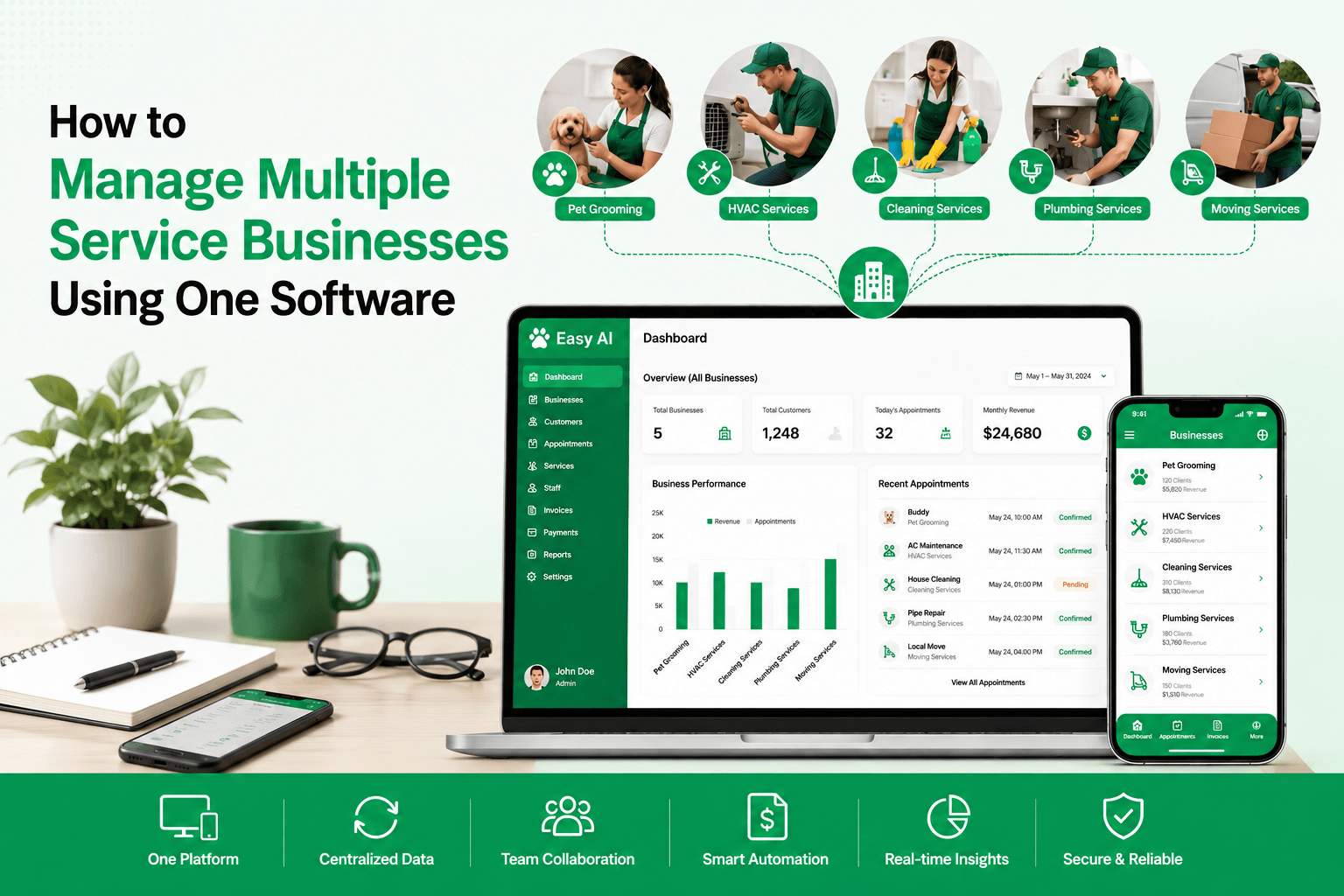
Running a single service business is tough.
Managing multiple locations or businesses? That's a different challenge altogether. Imagine managing a salon in one location, a clinic in another, and a service team somewhere else.
Your phone keeps ringing, staff are constantly asking for updates, appointments overlap, and you keep switching between apps just to keep things running more efficiently. The challenge becomes even bigger when leads arrive outside business hours. In fact, 63% of leads come in between 8 PM and midnight, making it difficult for teams to respond quickly without automation. This isn't a business problem; it's a system problem.
That's where things start falling apart: missed appointments, scattered data, inconsistent customer experiences, and constant staff confusion. The good news? The right all-in-one software can bring everything back under control. This guide shows you how to manage multiple service businesses using one system, without losing control or efficiency.
Most business owners don't struggle because of a lack of demand; they struggle because their systems can't keep up with their rising growth patterns.
If you run multiple service businesses, whether they're salons, clinics, repair services, or cleaning companies, you've likely faced this:
A single, unified platform solves these problems by bringing your operations, data, and communication into one place. For example, platforms like Easy AI go a step further by not only centralising operations but also using automation and intelligent insights to simplify multi-business management. Features such as automated lead responses, appointment reminders, and customer engagement workflows help business owners stay responsive even outside normal operating hours.
Not every piece of software is equipped for multi-business management. Before making any commitment, confirm your chosen platform includes:
The software must permit the administration of the distinct businesses or branches under a single account while keeping their respective data distinct yet reachable.
A single interface to monitor bookings, earnings, staff output, and client activity across all your ventures.
Allocate permissions based on roles, supervisors, employees, and administrators, ensuring each individual can view only the necessary information.
Manage bookings with calendar views, automated reminders, and zero scheduling conflicts.
CRM helps to keep a complete customer history, preferences, past visits, and communication all in one place.
Streamlined billing, payment tracking, and financial overviews, ideally with multi-currency capability if required.
Gain insights into which venture is excelling, spot trends, and form evidence-based choices.
Begin by structuring your business within the software. This might involve:
Clarity here guarantees precise tracking and future reporting. Most businesses struggle here, not because of bad software, but because of poor setup.
Before inputting data, determine the standard operating methods:
Uniformity helps to maintain coherence across all the enterprises.
Enter every service offered by each business, along with the pricing, time commitment, and assigned personnel. Use consistent naming conventions to prevent any reporting confusion.
Invite staff members and designate their access levels. Train them on:
The effectiveness of your software depends on how well your team can use it.
Load your existing customer information into the CRM. Ensure your data is clean before uploading to avoid redundancy or outdated entries.
Link your software with:
This reduces manual work and keeps everything running smoothly without constant follow-ups.
Configure automated routines such as:
Automation conserves time and enhances the client journey. Communication automation is especially valuable for service businesses. WhatsApp reminders are read at significantly higher rates than email, helping reduce missed appointments and keeping customers engaged without requiring additional staff effort.
Utilize labels, groupings, and filters to separate the businesses while retaining universal accessibility.
Examine reports on a weekly or monthly basis. Compare:
This helps you clearly see what's working and what's not.
Even while using a unified platform, ensure each business maintains its distinct visual identity in:
Avoid fragmented conversations across various messaging apps, emails, and calls. Use the system's integrated communication tools or link to external ones.
As your platform evolves, continue educating your staff. Roll out new features progressively and ensure active adoption.
Customer referrals remain one of the most effective growth channels for service businesses. Studies consistently show that referral clients tend to have higher lifetime value and stronger retention rates than customers acquired through traditional advertising. Integrating referral programs into your business management software can help automate and scale this process.
Issue 1: Information Overload
Solution: Employ filters and tailor dashboards to show only the pertinent data.
Issue 2: Staff Resisting the New System
Solution: Provide thorough training and demonstrate how the software simplifies their daily tasks.
Issue 3: Data Mixing Between Entities
Solution: Enforce strict role permissions and utilise distinct data structures within the software environment.
Issue 4: Selecting Inadequate Software
Solution: Start with a trial period. Test the platform with one business before expanding implementation.
Once everything is set up correctly, you'll start noticing the following:
Managing multiple service businesses doesn't have to mean chaos, missed bookings, and constant stress. With the right all-in-one system, you can centralise your operations, automate repetitive tasks, and scale without losing control. But remember, the software alone isn't the solution.
Proper setup, team training, and continuous optimisation are what truly drive the results. If you're serious about growing multiple businesses, switching to an integrated system isn't just an advantage anymore; it's a necessity. If you're planning to scale or are already managing multiple businesses, the sooner you switch to a unified system, the faster you regain control.
Platforms like Get Easy Software are built to help you manage, automate, and scale multiple service businesses from one place without the usual chaos. The difference isn't just better management; it's faster growth with less stress. The right system doesn't just manage your business; it helps you scale it. Because growth shouldn't come with chaos, it should come with full control.
The right system doesn't just help you manage your business; it helps you scale it. Because growth shouldn't come with chaos; it should come with control.

"Get Easy Software boosted our salon’s growth! WhatsApp integration is perfect."
@beauty01_hub

"One of the best POS systems ever! Automation saves us hours!"
@spa_lux_ury

"Client tracking and loyalty rewards are excellent and highly recommended."
@auto_care_first

"Perfectly integrated with our staff management and incredibly user-friendly."
@studio.89_glow

"Our repeat bookings increased by 40%! The campaigning tool is a game-changer."
@nail_chic_glow

"Customer support is always ready to provide truly exceptional service!"
@tattoo_ink.zone

"Perfect for managing multiple branches, everything is visible at a glance!"
@med_care99

"The analytics revealed our top-earning services, absolutely brilliant!"
@pet.hub_palace
"Get Easy Software boosted our salon’s growth! WhatsApp integration is perfect."
@beauty01_hub
"One of the best POS systems ever! Automation saves us hours!"
@spa_lux_ury
"Client tracking and loyalty rewards are excellent and highly recommended."
@auto_care_first
"Perfectly integrated with our staff management and incredibly user-friendly."
@studio.89_glow
"Our repeat bookings increased by 40%! The campaigning tool is a game-changer."
@nail_chic_glow
"Customer support is always ready to provide truly exceptional service!"
@tattoo_ink.zone
"Perfect for managing multiple branches, everything is visible at a glance!"
@med_care99
"The analytics revealed our top-earning services, absolutely brilliant!"
@pet.hub_palace

"Our bookings doubled once we started using their online scheduling system."
@glow07_getter

"Automated reminders significantly reduced our no-shows, great ROI!"
@autocore_car.spa

"At last, software that really gets what owners need."
@aesthetic_pro

"Secure, fast, and highly intuitive; patients love the experience!"
@clinic_care.flow

"Managing walk-ins and appointments has never been this easy!"
@barber_premium

"The integrated inventory management perfectly prevents stockouts."
@style_studio.uss

"Globally recognized as the most comprehensive platform for auto businesses."
@match_car_vibes

"A must-have for anyone wanting to modernize their daily operations."
@modern_beauty.tech
"Our bookings doubled once we started using their online scheduling system."
@glow07_getter
"Automated reminders significantly reduced our no-shows, great ROI!"
@autocore_car.spa
"At last, software that really gets what owners need."
@aesthetic_pro
"Secure, fast, and highly intuitive; patients love the experience!"
@clinic_care.flow
"Managing walk-ins and appointments has never been this easy!"
@barber_premium
"The integrated inventory management perfectly prevents stockouts."
@style_studio.uss
"Globally recognized as the most comprehensive platform for auto businesses."
@match_car_vibes
"A must-have for anyone wanting to modernize their daily operations."
@modern_beauty.tech

Makeup Hair and Academy

Studie’o 7

RED ORCHID HOSPITALITY PRIVATE LIMITED

NEEL DAVID SALON LOUNGE
Makeup Hair and Academy
Studie’o 7
RED ORCHID HOSPITALITY PRIVATE LIMITED
NEEL DAVID SALON LOUNGE
.png)
.png)
.png)
.png)
.png)
.png)
.png)
.png)
.png)